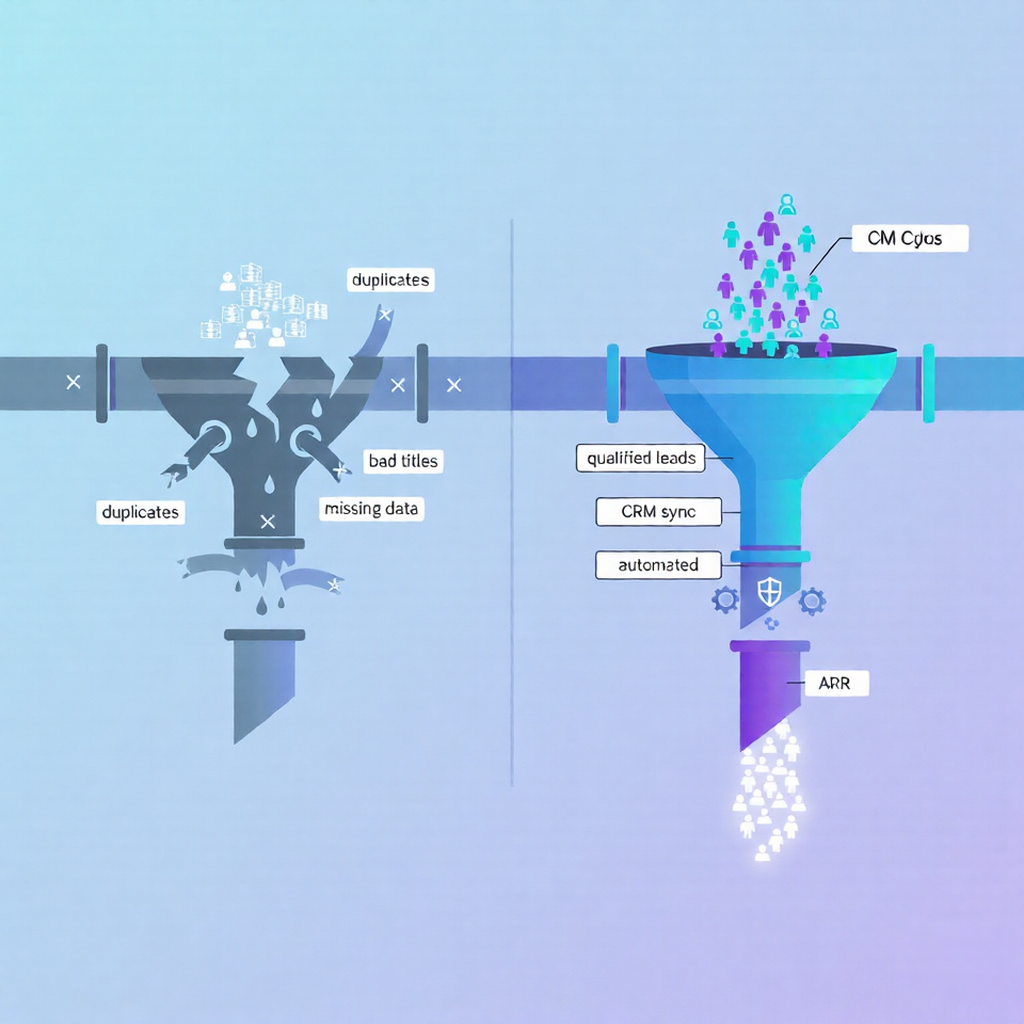
5 Signs Your HubSpot Data Is Killing Conversions
And the 30-day fix that unlocks 30% pipeline velocity.
HubSpot is supposed to give your revenue team clarity. When the data behind it is messy, the opposite happens: reps fight over leads, campaigns underperform, and dashboards lose credibility. The tricky part is that most teams do not notice how bad the problem is until it has already been costing real pipeline for months.
This article walks through five practical signs your HubSpot data is actively hurting conversions, with concrete examples and fixes you can implement over the next 30 days.
1. Reps keep tripping over the same accounts
If you hear, “I was already working that account” more than once a week, you are looking at a data problem, not just a process issue. Duplicate contacts and companies are one of the most common HubSpot data quality issues, especially when leads come from multiple forms, lists, and imports.
When the same person exists as three different records—each with a different owner or lifecycle stage—several things happen:
Two or more reps reach out separately with conflicting messages.
No one is sure which record is “real,” so activity gets scattered across timelines.
Pipeline is inflated because the same opportunity appears multiple times in forecasts.
Over time, this does not just waste time; it corrodes trust in the system and encourages “shadow CRMs” in spreadsheets and notebooks. A clear ownership rule (for example, “email + company domain = single contact and owner”) and a recurring deduplication process instantly reduce this friction.
2. “CEO campaigns” are landing in the wrong inboxes
On paper, you are running a targeted sequence for C‑level executives. In reality, a chunk of that list goes to managers, individual contributors, and people who left the company a year ago. That gap between intent and who actually receives the message is usually a title and segmentation problem.
Over time, job titles in HubSpot tend to explode into dozens of near-duplicates: “Chief Exec,” “C.E.O.,” “Executive Officer,” “Founder & CEO,” “Interim CEO,” and so on. For segmentation and lead scoring, those variations really mean the same persona, but the system treats them all as separate values. The result:
Persona-based lists are incomplete or noisy.
Scoring models misclassify high-value buyers.
Reporting by persona or seniority becomes almost unusable.
The fix is to define a small set of normalized titles (for example, 10–15 core personas) and then standardize existing data to those values with rules or workflows. Once that is done, CEO campaigns actually reach CEOs, and conversion metrics start to reflect reality.
3. Your funnel reports never match lived reality
If leadership regularly says “This dashboard cannot be right,” that is another strong sign data hygiene is undermining conversions. Typical symptoms include:
Conversion rates between stages look impossibly low or high.
Large segments of contacts appear stuck in a single lifecycle stage for months.
Marketing and sales cannot agree on how many opportunities were created in a period.
In many HubSpot instances, the underlying issue is inconsistent lifecycle and deal stage data. Contacts may skip stages, revert backwards, or never get updated when ownership changes. Deals may not be associated with the right companies or contacts, which breaks any attempt to tie marketing activity to revenue.
Cleaning up lifecycle definitions, enforcing stage changes through workflows, and fixing missing associations does not just improve reporting; it directly improves conversions by aligning handoffs, SLAs, and follow-up expectations.
4. A surprising number of deals have no real context
Open any given deal and check whether you see a clear story: who the buyer is, which company they work for, how they engaged, and what they care about. If many deals lack that basic context, your team is trying to close revenue in the dark.
This often shows up as:
Deals without associated companies or with the wrong domain.
Contacts attached to deals who clearly are not decision makers.
No connection between deal activity and earlier marketing touches.
From an ops perspective, this happens when association rules and defaults were never properly defined, especially after migrations and new integrations. From a revenue perspective, it means:
Deal reviews are slow because managers have to manually piece together the picture.
Forecasts are unreliable because the probability on each deal is not grounded in a real buying process.
Upsell and renewal motions miss opportunities because existing relationships are buried in disconnected records.
Standardizing how deals should be associated and using automation to fix common gaps goes a long way toward making every follow-up more relevant and timely.
5. Integrations and imports keep breaking your process
If every new integration or list import feels risky, that is usually because data quality foundations are not in place. Common patterns:
New tools create records that bypass your normal ownership or lifecycle rules.
Imports introduce yet more variations of titles, countries, and industries.
Fields that look similar across systems (for example, “Stage” or “Status”) do not actually mean the same thing.
These issues do not just clutter your database; they directly affect conversions:
Leads from high-intent sources do not get routed correctly or on time.
Sequences trigger for the wrong audience, or not at all.
Service teams inherit incomplete or contradictory data when a deal closes.
A simple guardrail layer—standard import templates, documented field mappings, and basic validation rules—helps keep new data consistent with your definitions. That keeps the focus where it belongs: using HubSpot to move real opportunities forward instead of constantly cleaning up after the plumbing.
What to do if you recognize these signs
If one or two of these patterns sound familiar, there is probably a specific project to tackle. If all five resonate, you are looking at a broader HubSpot data cleanup effort rather than isolated fixes. The good news is that even a short, focused cleanup can unlock meaningful conversion gains when it prioritizes duplicates, title normalization, lifecycle consistency, and associations.
This is exactly the kind of work a structured data cleanup playbook is designed for. Starting with a clear audit and a small set of standards makes every future campaign, workflow, and report more trustworthy—and that trust is often what separates teams that scale from those that stall.
A simple 30‑day HubSpot data cleanup plan
If you recognize several of these signs, treat them as a signal for a focused cleanup sprint rather than a never‑ending side project. The outline below fits into roughly one month and is realistic for a lean RevOps or marketing ops team.
Week 1: Audit and prioritize
Run a quick data health audit: duplicate rate, invalid emails, missing domains, lifecycle gaps, and orphaned deals.
Document the biggest business impacts: routing conflicts, broken campaigns, unreliable reports, so you know what to fix first.
Week 2: Deduplicate and normalize titles
Tackle the most painful duplicates first (active opportunities and key accounts), then work down to long‑tail contacts.
Define a small set of normalized job titles and personas, and standardize existing records so segments and campaigns become reliable again.
Week 3: Fix lifecycle stages and associations
Clean up lifecycle stages so contacts follow a sensible progression instead of skipping or getting stuck indefinitely.
Repair missing or incorrect associations between contacts, companies, and deals so reporting and forecasting can reflect actual buying journeys.
Week 4: Put guardrails and monitoring in place
Add basic guardrails: better import templates, title and country normalization rules, and ownership or routing workflows for new records.
Build a small “data health” dashboard that tracks duplicates, invalid emails, missing key fields, and association completeness so you can keep quality high without another big cleanup.
Framing the work as a 30‑day sprint makes it easier to secure buy‑in and to show before‑and‑after impact on conversions, routing speed, and report reliability.
Ready to optimize your customer journey?
Let's discuss how we can help you maximize revenue and improve customer satisfaction.
Get in Touch